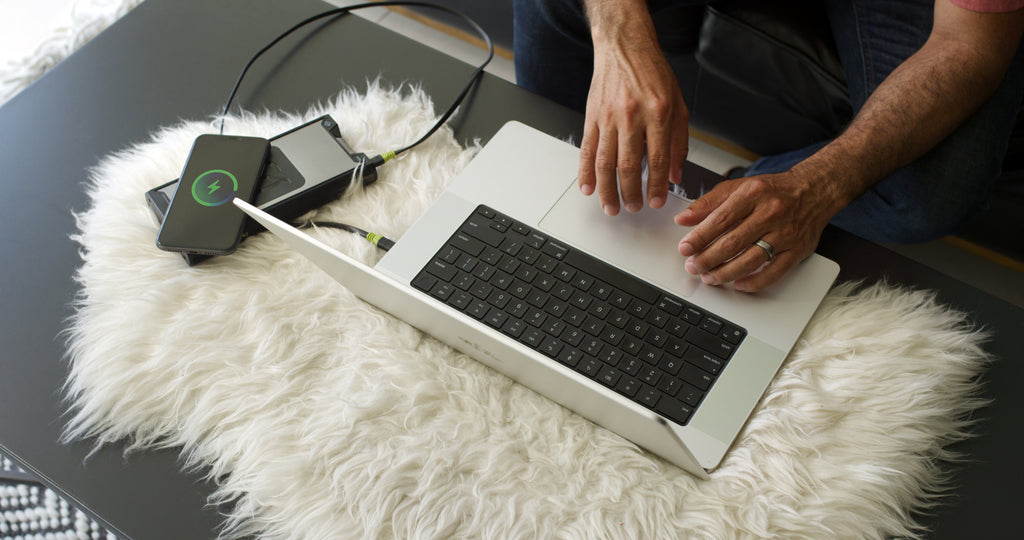
The best power bank for laptop charging is the Anker Laptop Power Bank A1695 for most people. Its 90Wh battery, 100W output from any USB-C connection, and two built-in cables make it unusually hard to pack the wrong cable. The compromise is weight: 595g is closer to a full water bottle than a pocket charger.
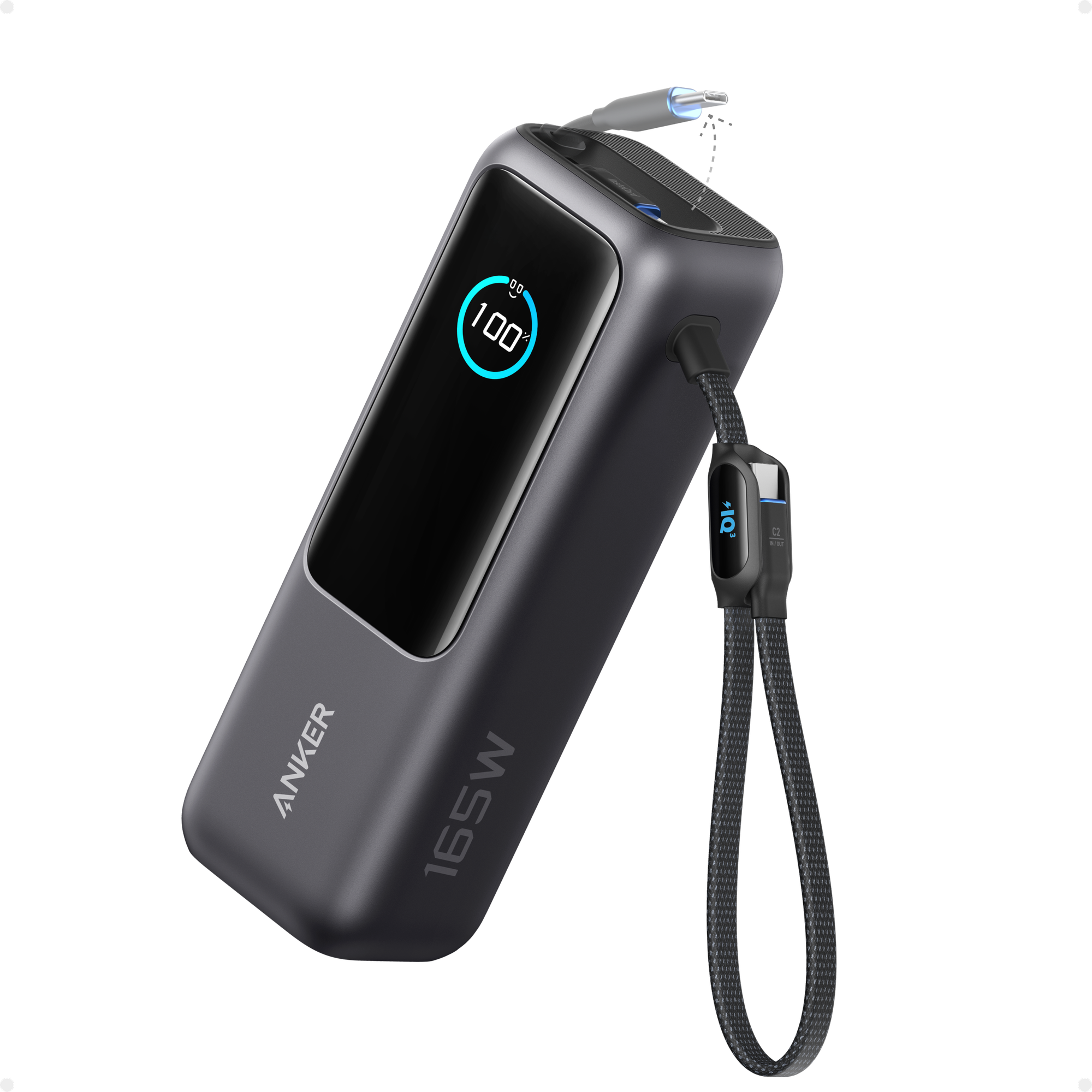
I would buy the UGREEN 145W pack instead for a laptop that can actually use 140W USB Power Delivery. The less expensive Anker A1383 makes more sense for a 45W or 65W ultraportable. Output watts decide whether the laptop keeps charging under load, while usable watt-hours decide how long it can do so.
This is a research-based guide. I have not handled or bench-tested these power banks, so the specifications and prices below come from manufacturer documentation and live product pages rechecked on October 18, 2026.
Last updated: October 18, 2026
Match the power bank to the laptop’s USB-C tier
Start with the laptop’s accepted USB-C input, then choose enough output to meet it. Extra capacity cannot rescue a pack whose port is too weak. The table pairs each charging tier with the least complicated fit among these five models.
Laptop charging tiers and the matching pick. Prices and direct stock were checked October 18, 2026.
| Laptop USB-C tier | Best fit here | Single-port ceiling | Rated energy | Main compromise |
|---|---|---|---|---|
| 45W to 65W | Anker A1383 | 65W | 72Wh | No headroom for a 100W laptop |
| 65W to 100W | Anker A1695 | 100W | 90Wh | 595g |
| Up to 140W | UGREEN 145W | 140W | 90Wh | 65W recharge input |
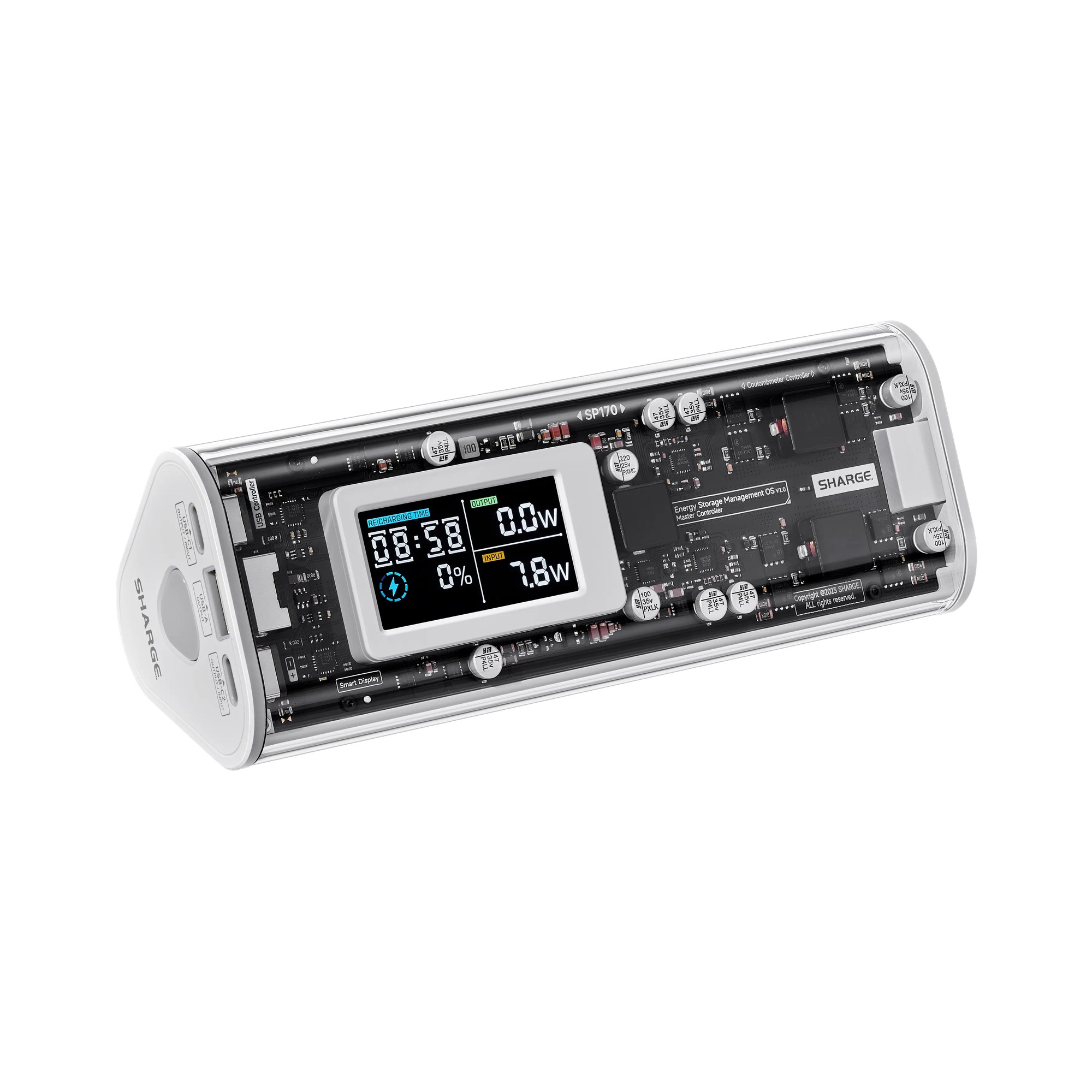
| 140W plus splash resistance | Shargeek 170 | 140W | 86.4Wh | 680g and US$214.99 |
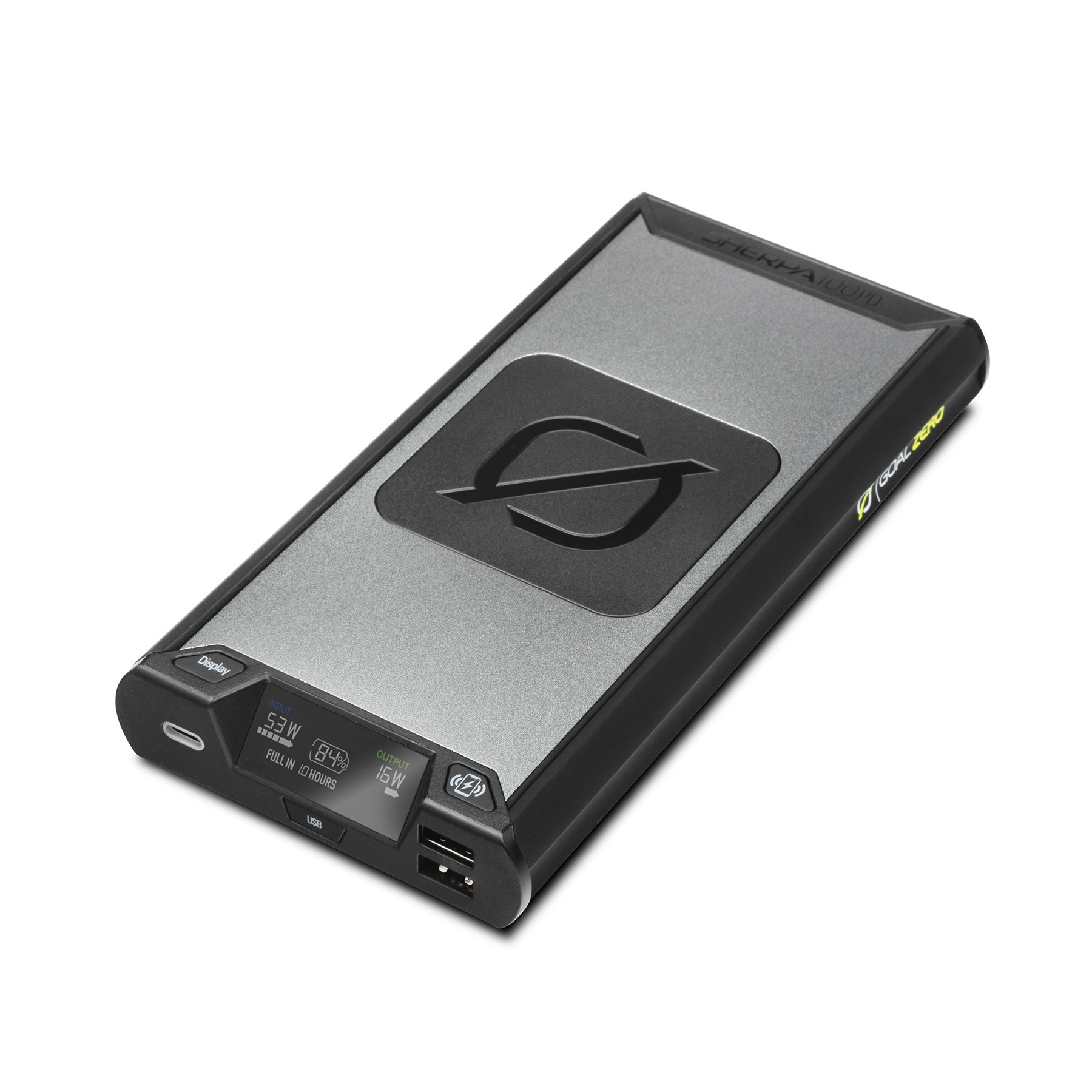
| 100W plus wireless charging | Goal Zero Sherpa 100PD | 100W | 94.7Wh | One USB-C port |
Five packs for different charging limits
Anker A1695 for a 65W to 100W travel laptop
The Anker Laptop Power Bank A1695 solves the most common travel failure: bringing a capable battery but forgetting the cable that can carry its full output. A retractable USB-C cable and a short built-in USB-C cable both support up to 100W. The separate USB-C port also reaches 100W, and two USB-C connections can share up to 165W.
Its 90Wh rating gives a useful energy reserve without crossing the common 100Wh airline threshold. The screen shows remaining charge, input, output, and estimated recharge time. Anker lists a roughly two-hour refill with a 100W charger, which is not included.
The drawback is the 595g weight, plus a 100W ceiling for any one laptop. When three or four devices are attached, total output falls to 130W. Buy it for one 65W to 100W laptop plus a phone or tablet, but skip it if your main machine needs a 140W USB-C source.
UGREEN 145W for a laptop that accepts 140W USB PD
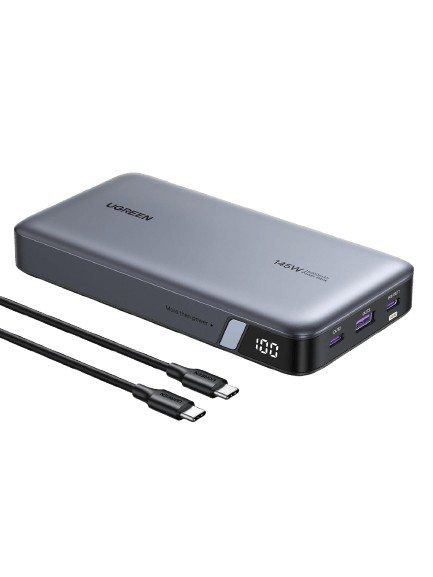
The UGREEN 145W 25000mAh Power Bank sends up to 140W from its first USB-C port. That matters for larger laptops using the 28V USB PD 3.1 profile. It includes a 240W-rated USB-C cable, stores 90Wh, weighs 513g, and was available directly from UGREEN for US$99.99 on October 18, 2026.
A second USB-C port and one USB-A port bring total output to 145W. The display is a simple percentage readout, not the richer per-port display on some newer packs. Its 65W maximum input also makes the refill slower than the 100W or 140W input available on several rivals. This is the one I would choose for a compatible 140W laptop when price matters more than built-in cables. It is wasted on a 45W ultrabook, and a buyer who hates carrying a separate cable will find the Anker A1695 tidier.
Anker A1383 for 45W and 65W ultraportables
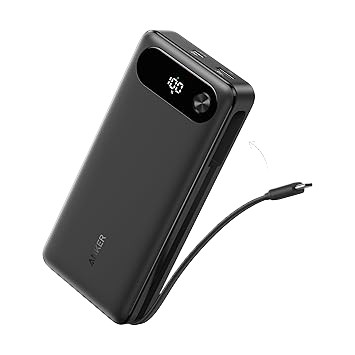
The Anker Power Bank A1383 is the sensible floor for many MacBook Air, Chromebook, and thin Windows laptop users. Its built-in USB-C cable or separate USB-C port can provide 65W to one device. A USB-A port raises the shared maximum to 87W, and the 72Wh battery is still large enough to add a meaningful work session.
At 431g, it is the lightest model here, though it is not a pocket-sized battery. Anker listed it in stock for US$69.99 on October 18, 2026. It costs less than UGREEN’s direct price, so it remains the cleaner value when 65W is enough.
The 65W ceiling is the main limitation. A workstation that expects 100W or 140W can charge slowly, refuse fast charging, or keep draining its internal battery during a heavy workload. The built-in cable is convenient but not replaceable if it wears out.
Shargeek 170 when splash resistance matters
The Shargeek 170 adds an IP66 water-resistance rating to an 86.4Wh battery. Either USB-C port can deliver 140W, while the pack can supply up to 170W across its two USB-C ports and one USB-A port. SHARGE listed both colours in stock at US$214.99 on October 18, 2026.
Water resistance is not permission to charge it while wet or to submerge it. The angular case is also thick, and its 680g weight is the heaviest in this group. With all three outputs active, each USB-C port is limited to 65W.
Pick it for field work, camping, or travel where splashes are a realistic concern. For ordinary flights and office bags, the UGREEN offers the same 140W single-port ceiling with less weight.
Goal Zero Sherpa 100PD for wireless phone charging
The Goal Zero Sherpa 100PD stores 94.7Wh, the most in this comparison, and supplies up to 100W over USB-C. Its aluminum body also includes two 12W USB-A ports, a colour display, and a 15W wireless charging pad.
Goal Zero showed it available to add to cart for US$199.95. This pack makes sense for someone who wants a laptop battery and a place to set a phone during field work. The tradeoffs are severe: it weighs 680g, has only one USB-C port, and accepts 60W input. A suitable wall charger is sold separately.
Buy it for the 94.7Wh capacity and wireless pad, not for value. The Anker A1695 costs less, has three USB-C connections, and is 85g lighter.
Worked runtime estimates at four laptop loads
The estimate uses the same cautious delivery assumption throughout: 90Wh x 0.70 = 63Wh delivered to the laptop. Estimated added time is 63Wh divided by the laptop’s average draw. These are planning estimates, not Watt Guy measurements.
Estimated added runtime from a 90Wh pack at 70 percent delivered energy.
| Average laptop draw | Estimated added time | What changes the result |
|---|---|---|
| 20W | About 3.2 hours | Light tasks and a dimmer display may approach this load |
| 30W | About 2.1 hours | A practical light-work planning case |
| 45W | About 1.4 hours | Heavier CPU use or a bright display |
| 65W | About 1.0 hour | The pack also needs a port that can sustain the load |
If the laptop draws 80W while connected to a 65W pack, runtime math is secondary. The pack may slow the discharge, but it cannot cover the whole load, so the internal battery can keep falling.
When a laptop power bank is the wrong tool
Skip a laptop power bank if the computer cannot charge through USB-C. A proprietary barrel connector needs a model-specific solution, and a generic USB-C adapter is not something I would trust without explicit approval from the laptop maker.
Gaming and mobile workstation users with 180W, 230W, or larger adapters should also look elsewhere. A USB-C pack may support light work, but it will not replace the original adapter at full performance. For stationary outage protection, a UPS or power station is the better category, and the Watt Guy UPS runtime calculator can estimate a suitable backup for a measured desk load.
Phone-only users do not need this much weight or output. A smaller 10,000mAh pack is easier to carry and usually costs far less.
Airline rules set the upper boundary
Every pick here is at or below 100Wh, but that does not override an airline’s own rules. The FAA requires power banks in carry-on baggage, limits ordinary lithium-ion batteries to 100Wh without special airline approval, and says damaged or recalled batteries must not be carried. Terminals should be protected from short circuits.
Canadian guidance is similar. CATSA says power banks belong in carry-on luggage and advises travellers to check airline-specific limits. Some carriers also restrict using or charging a power bank during the flight.
Lithium-ion packs can overheat and enter thermal runaway, so none is risk-free. Do not charge one inside a closed bag, and stop using a pack that is swollen, damaged, recalled, or unusually hot. Keep it where you can see and disconnect it.
The practical choice by wattage
For a 65W laptop, the Anker A1383 is the lighter and less expensive answer. The Anker A1695 is the better all-rounder when a 100W port and built-in cables matter, while UGREEN is the clear step up for a machine that can use 140W.
The Shargeek and Goal Zero models solve narrower problems at much higher prices. Buy either only when its water-resistance or wireless-charging feature is worth the extra weight and cost.
Sources, stock checks, and limits
I compared current manufacturer specifications for rated Wh, single-port output, shared output, input speed, ports, weight, and included cables. A product had to be orderable on October 18, 2026 from its manufacturer or an established retailer in the US or Canada. Preorders, sold-out products, and listings with unclear stock were removed.
The picks are organized by the problem each solves, not by a simulated score. Prices are snapshots with currency stated, and manufacturer recharge or capacity claims are not Watt Guy measurements. No hands-on testing was performed for this guide.