Start with a load list, not a battery size. For internet, laptops, lights, and a refrigerator, the Anker SOLIX C1000 Gen 2 is the most balanced of these five power stations. It combines 1,024Wh, 2,000W continuous output, and a 24.9 lb body for C$649. Fixed capacity is the catch because an expansion battery cannot be added later.
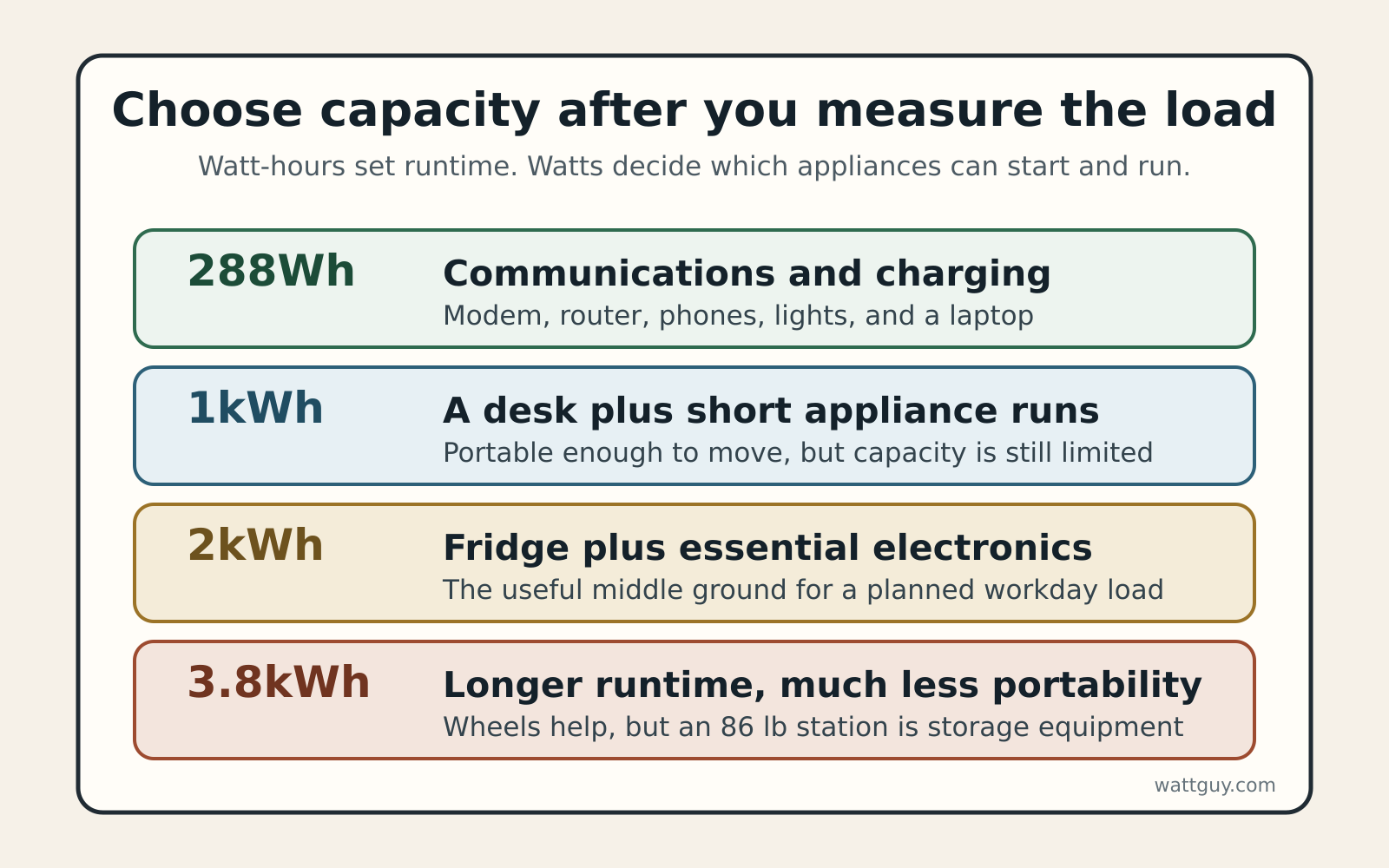
A 2kWh model makes more sense when the outage plan includes a refrigerator for a full workday. If the real job is only communications and device charging, a 288Wh station costs less and is easier to move.
Nothing here comes from a bench test. I researched manufacturer pages and manuals, then rechecked Canadian prices and orderability on October 27, 2026.
Five best power stations for home backup by load
Home backup power station comparison. Prices and Canadian stock were checked October 27, 2026. Sale prices can change.
| Model | Capacity | Continuous / surge or lifting | Chemistry | Weight | Outputs | Checked price |
|---|---|---|---|---|---|---|
| BLUETTI Elite 30 V2 | 288Wh | 600W / 1,500W lifting | LiFePO4 | 9.48 lb / 4.3 kg | AC, 2 USB-C, 2 USB-A, DC | C$279.99 |
| Anker SOLIX C1000 Gen 2 | 1,024Wh | 2,000W / 3,000W peak | LiFePO4 | 24.9 lb / 11.3 kg | 5 AC, 3 USB-C, USB-A, car | C$649 |
| Jackery Explorer 1000 v2 | 1,070Wh | 1,500W / 3,000W surge | LiFePO4 | 23.8 lb / 10.8 kg | 3 AC, 2 USB-C, USB-A, car | C$649 |
| Anker SOLIX C2000 Gen 2 | 2,048Wh | 2,400W / 4,000W peak | LiFePO4 | 41.7 lb / 18.9 kg | 5 AC, TT-30, 3 USB-C, USB-A, car | C$1,099 |
| BLUETTI Elite 400 | 3,840Wh | 2,600W / 5,200W surge | LiFePO4 | 85.98 lb / 39 kg | 4 AC, 2 USB-C, 2 USB-A, car | C$2,199 |
Set the backup boundary before buying
A portable station is easiest to use when appliances plug directly into it. List the equipment that must stay on, read each label or measure it with a plug-in power meter, then note both running watts and motor startup demand. The Watt Guy Home Backup Power Calculator turns that list into a capacity target.
Do not start with an electric range, central air conditioner, electric water heater, or other large 240V load. The five picks here are useful for selected 120V essentials, not automatic whole-home backup. A permanent connection to household wiring is a different project that needs approved transfer equipment, permits where required, and a licensed electrician.
The 288Wh floor keeps communications running
BLUETTI Elite 30 V2: best for internet and devices
The BLUETTI Elite 30 V2 stores 288Wh, supplies 600W continuously, and weighs 4.3 kg. Its 100W and 140W USB-C ports can charge two capable laptops without using separate AC adapters. At C$279.99, it is the low-cost way to cover a modem, router, phones, lights, and a work laptop.
The 1,500W lifting mode is not a 1,500W continuous inverter. It is intended for compatible resistive loads, so it should not be used to judge a refrigerator compressor or sensitive electronics. This is a communications-first pick. A household whose plan revolves around refrigerator backup, or whose regular load approaches 600W, should skip it.
A dedicated UPS can be a better fit when seamless network continuity matters more than portable capacity. The router and modem UPS guide covers that narrower job.
The 1kWh fork is output versus carry weight
Anker SOLIX C1000 Gen 2: best overall
The Anker SOLIX C1000 Gen 2 pairs 1,024Wh with a 2,000W continuous inverter and a 3,000W peak rating. It weighs 11.3 kg and provides five AC receptacles, two 140W USB-C ports, another USB-C port, USB-A, and a 12V car socket. That output headroom is useful when a refrigerator starts while computers and network gear are already running.
Anker lists a 10 ms switchover mode, but equipment compatibility still depends on the connected device. I would not treat any portable station as a guaranteed replacement for a purpose-built UPS. Expansion is the harder limit because 1,024Wh is all the C1000 Gen 2 can store. Anyone who already expects to need 2kWh should skip it.
Jackery Explorer 1000 v2: best lighter 1kWh pick
The Jackery Explorer 1000 v2 holds 1,070Wh, supplies 1,500W continuously with a 3,000W surge rating, and weighs 10.8 kg, about half a kilogram less than the Anker. Three AC receptacles, two USB-C ports, USB-A, and a 12V car outlet cover a straightforward emergency setup.
Its C$649 checked price matched the Anker. In exchange for the slightly lower weight, the Jackery gives up 500W of continuous output and has no expansion-battery path. It fits a carefully bounded load below 1,500W. Readers who need high-wattage appliances or future expansion should skip it.
The 2kWh step adds a full workday margin
Anker SOLIX C2000 Gen 2: best expandable middle tier
The Anker SOLIX C2000 Gen 2 doubles the starting capacity to 2,048Wh and raises continuous output to 2,400W. It can accept one BP2000 Gen 2 expansion battery for up to 4,096Wh. Five AC receptacles, a TT-30 outlet, USB ports, and a car socket make it flexible, although the TT-30 connection does not turn it into a household transfer system.
This is the useful middle tier for a refrigerator, internet, and office equipment that need to last through a workday. It weighs 18.9 kg and cost C$1,099 on the check date, C$450 more than the C1000 Gen 2. That premium buys twice the starting capacity plus an expansion path, but stairs and limited storage make the weight a real drawback. Readers planning only a short outage should skip it rather than pay to store unused capacity.
The 3.8kWh ceiling needs wheels
BLUETTI Elite 400: best high-capacity movable pick
The BLUETTI Elite 400 stores 3,840Wh and supplies 2,600W continuously, with a 5,200W surge rating. A telescoping handle and wheels make its 39 kg body movable on a level floor. This is the pick for a longer refrigerator and electronics plan when a single integrated battery is simpler than expansion modules.
Capacity is not the same as whole-home capability. The Elite 400 remains a 120V station with four AC outlets, and heating or cooking loads can consume its 2,600W output quickly. At 39 kg, it is best treated as longer-runtime equipment that stays near its storage location. Skip it if you need to carry the station upstairs, run 240V equipment, or move it through snow.
Build a six-hour load budget
Suppose the outage list contains an illustrative 120W average refrigerator load, 25W for a modem and router, and 55W for a laptop and display. That is a 200W combined average. These are example inputs, not measurements of every household appliance, so replace them with your own readings.
For six hours, the load needs 200W x 6 hours, or 1,200Wh at the outlets. Dividing by a cautious 0.85 planning factor gives about 1,412Wh of nameplate capacity. A 1,024Wh station is too small for that target without shedding loads, while a 2,048Wh station leaves a useful planning margin.
The same math explains why rated capacity and real runtime are different. Inverter overhead, battery-management limits, temperature, age, and load shape all consume part of the nameplate figure. The 85 percent factor is a planning allowance, not a tested efficiency claim for any model here.
Who should skip this
Skip a portable power station if the real goal is seamless protection for a desktop computer or home server. A properly sized UPS is built for that transition and can shut equipment down cleanly. The power station can then cover longer, less interruption-sensitive loads.
Skip these picks for automatic whole-home backup, large 240V appliances, or permanently energized circuits. Those jobs move into home battery systems, transfer equipment, and electrical work. They require professional design rather than a larger extension cord.
A fuel generator may fit better when an outage can run for days and fuel is available. Read the generator versus power station comparison before making that trade. Any fuel-burning generator must stay outdoors, at least 6 metres from buildings, with exhaust directed away from doors and windows.
Store, charge, and connect it safely
LiFePO4 is still a lithium-ion chemistry. None of these stations is fireproof or risk-free. Health Canada recommends charging where you can see the battery, away from soft surfaces and exit doors, and stopping use if a battery is swollen, dented, damaged, recalled, or unusually hot.
For Canadian purchases, verify that the exact product carries a recognized Canadian certification mark on the product, not only in a web listing. Keep vents clear, keep the station dry, and follow the manufacturer’s charging-temperature limits. Store it where the chosen model can actually be moved when the power fails.
Connect appliances directly or use cords rated for the load. Public Safety Canada says never to plug a backup generator into a wall outlet, and that a home electrical connection needs an approved transfer panel and switch installed by a qualified electrician. A battery station is not permission to backfeed a house.
If you choose a fuel generator instead, the carbon monoxide rule is absolute. The same federal guidance says to run it outdoors at least 6 metres from any building and direct exhaust away from openings.
How these picks were researched
I compared current Canadian manufacturer listings, manuals, capacity, continuous and peak output, weight, expansion options, port layout, and checked price. Every recommended model was orderable from its manufacturer in Canada on October 27, 2026. No retailer or manufacturer paid for placement, and Watt Guy uses no affiliate links.
No hands-on testing was performed for this guide. Runtime examples are transparent calculations for comparison, not measured results. Before buying, confirm current stock, price, certification markings, and the power requirements of your own appliances.